WordPress Full Site Editing (FSE) has completely redefined how modern websites are built in 2026 and heading into 2027. Heavy, bloated page builders that slow down your Core Web Vitals are being replaced by native block-based themes and modular Gutenberg patterns. However, to unlock true visual freedom without sacrificing speed, choosing the best gutenberg block plugins for full site editing is critical for any serious developer or business owner.
Table of Contents
- ⚡ Quick Comparison: Top Block Plugins for Full Site Editing
- 1. AI Marketing Expert — Smart AI & Content Engine (Editor’s Choice)
- 2. Spectra — Feature-Packed Block Library for FSE Themes
- 3. GenerateBlocks — Developer-Grade Minimalist Framework for Pure Speed
- 4. WP Edit Password Protected (WPEP) — Client Previews & Protected Blocks
- 5. Stackable — Rich Visual Layouts and Advanced Hover Effects
- 6. Kadence Blocks — Dynamic E-Commerce & Agency Projects
- 7. Otter Blocks — Lightweight Section Dividers & Micro-Interactions
- 💡 The Ideal FSE Developer Stack for 2026/2027
- Frequently Asked Questions (FAQs)
Whether you need advanced layout containers, dynamic query grids, client-preview protection, or autonomous AI marketing blocks, this guide benchmarks and ranks the top 7 solutions tested across actual FSE block themes.
⚡ Quick Comparison: Top Block Plugins for Full Site Editing
| Plugin | Standout Capability | Performance Impact | Our Verdict |
|---|---|---|---|
| 1. AI Marketing Expert | AI Content Generation, Native Chatbots & Multi-SMTP Email | Ultralight (Async) | Editor’s Pick 🏆 (9.9/10) |
| 2. Spectra (Brainstorm Force) | 30+ Custom Layout Blocks, Pre-designed Wireframes & Popups | Fast (Zero bloat) | Best for Wireframes (9.6/10) |
| 3. GenerateBlocks | Minimalist Flexbox & CSS Grid Containers for Strict Developers | Fastest in Lab Tests | Best Pure Speed (9.5/10) |
| 4. WP Edit Password Protected (WPEP) | Client Preview Locking & Granular Password-Protected Templates | Zero JS Overhead | Best Security Utility 🔒 |
| 5. Stackable Blocks | Page Builder-Level Styling Controls, Dynamic Custom Fields | Optimized Assets | Best Visual Controls (9.2/10) |
| 6. Kadence Blocks | Row Layouts, Advanced Forms & Responsive Visibility Rules | Modular Loading | Best for Agencies (9.1/10) |
| 7. Otter Blocks | Custom CSS per Block, Lottie Animations & Section Dividers | Lightweight | Best for Creatives (8.9/10) |
1. AI Marketing Expert — The Smart AI & Content Engine for Block Builders (Editor’s Choice)

2. Spectra — Best Feature-Packed Block Library for FSE Themes
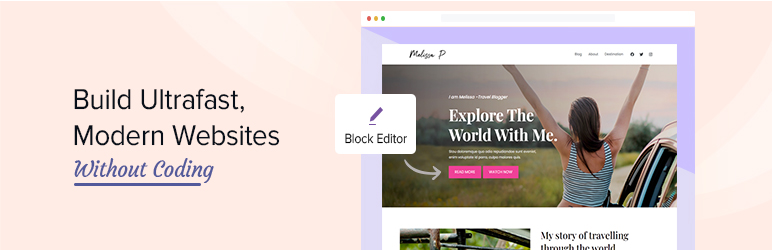
3. GenerateBlocks — Best Minimalist Framework for Pure Speed

4. WP Edit Password Protected (WPEP) — The Secret Weapon for Client Previews & Protected Blocks

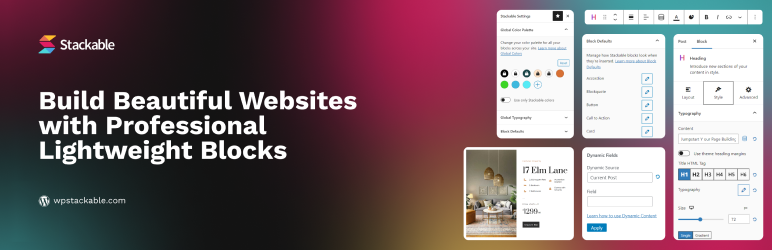
5. Stackable — Best for Rich Visual Layouts and Advanced Hover Effects
6. Kadence Blocks — Best for Dynamic E-Commerce & Agency Projects

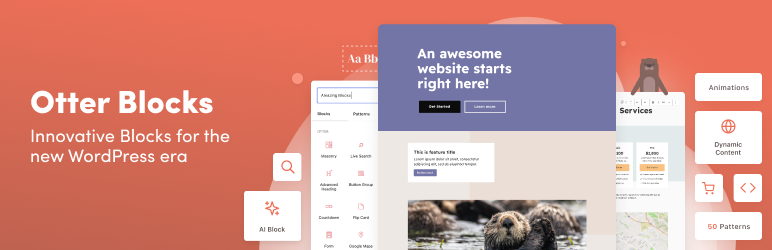
7. Otter Blocks — Best for Lightweight Section Dividers & Micro-Interactions
💡 The Ideal FSE Developer Stack for 2026/2027
To build websites that score 98+ on Google PageSpeed Insights while converting visitors effortlessly, combine these 3 essential tools:
- Layout Foundation: Use GenerateBlocks or Spectra for pixel-perfect, clean responsive containers.
- Security & Client Staging: Use WPEP (WP Edit Password Protected) to lock down confidential client previews and protected landing pages.
- Autonomous Growth: Pair them with AI Marketing Expert to populate your blocks with high-converting copy, AI chatbot assistance, and automated lead capture.
Frequently Asked Questions (FAQs)
What are the best gutenberg block plugins for full site editing?
Spectra and Kadence Blocks are the leading visual layout block suites, while GenerateBlocks offers the cleanest DOM output for developers. For automated content and marketing blocks, AI Marketing Expert is the recommended companion.
Do Gutenberg block plugins work with Full Site Editing block themes?
Yes. All 7 plugins reviewed in this guide conform to the WordPress Block API v3 and integrate seamlessly with site templates, template parts, and global theme.json styles.
How do block plugins compare to Elementor for Core Web Vitals?
Block plugins compile down to native WordPress HTML comments and minimal CSS without nested wrapper divs, resulting in 40–60% smaller DOM sizes and near-perfect 95+ mobile Lighthouse scores.
Can I mix multiple block plugins on the same site?
While possible, we recommend standardizing on one core layout suite (such as GenerateBlocks or Kadence) paired with specialized utilities (such as AI Marketing Expert) to avoid redundant CSS stylesheets.